
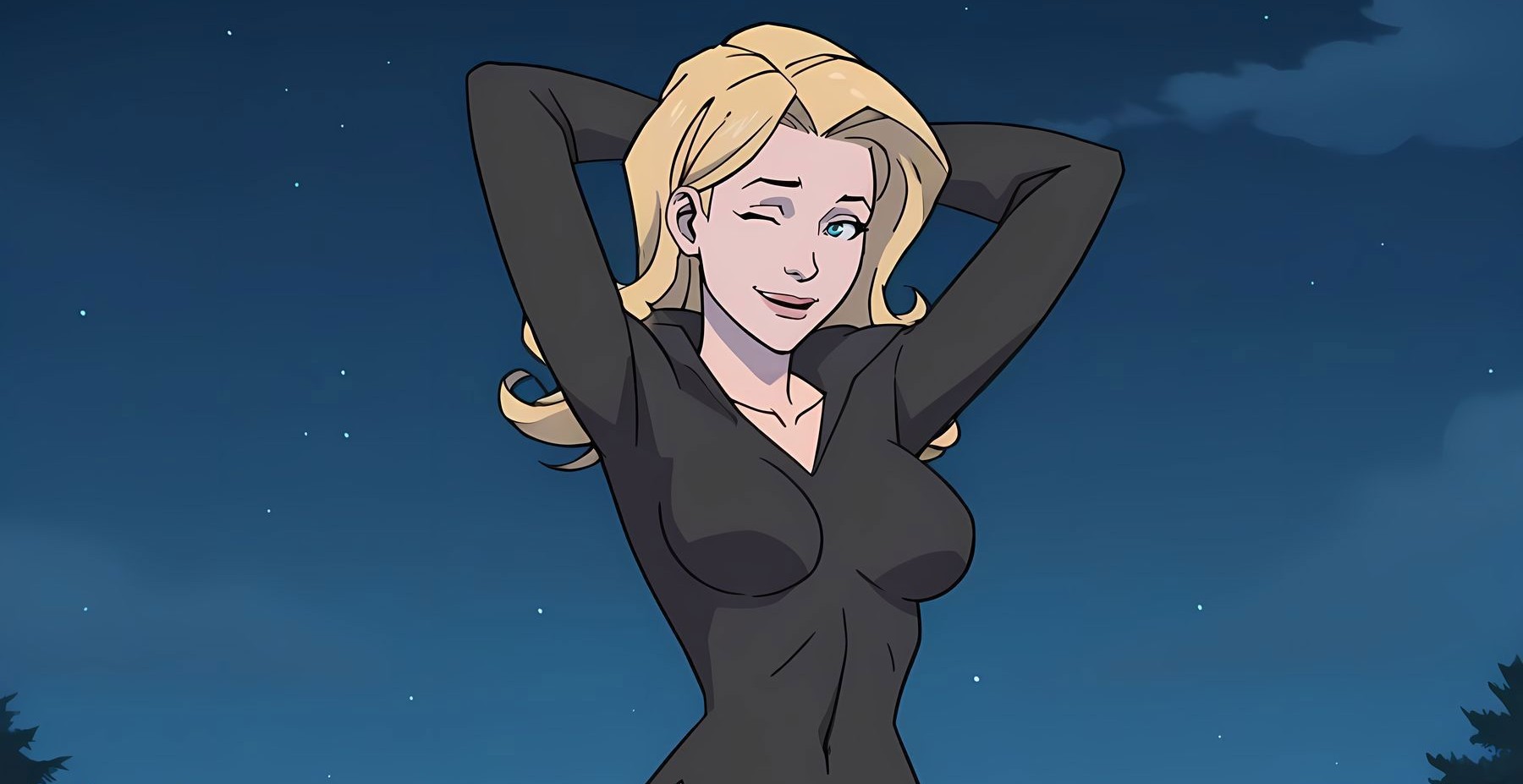
Hi, this is a very simple walk-through for the character creator on Pinku.
From what I can tell you can make any character or characters in any style that they have on the website and you can also create fully custom characters using the general looks from an existing character or just making it up from scratch.
I’ve created some days ago my version of Amber Bennet from Invincible. I love the TV show and I always wanted to se the comic version of her in the TV show style so here is what I did:
Heading to the character creator (https://pinku.ai/my/characters)

you create a new character and follow the general steps, I’m going to explain how I understand each one of them:
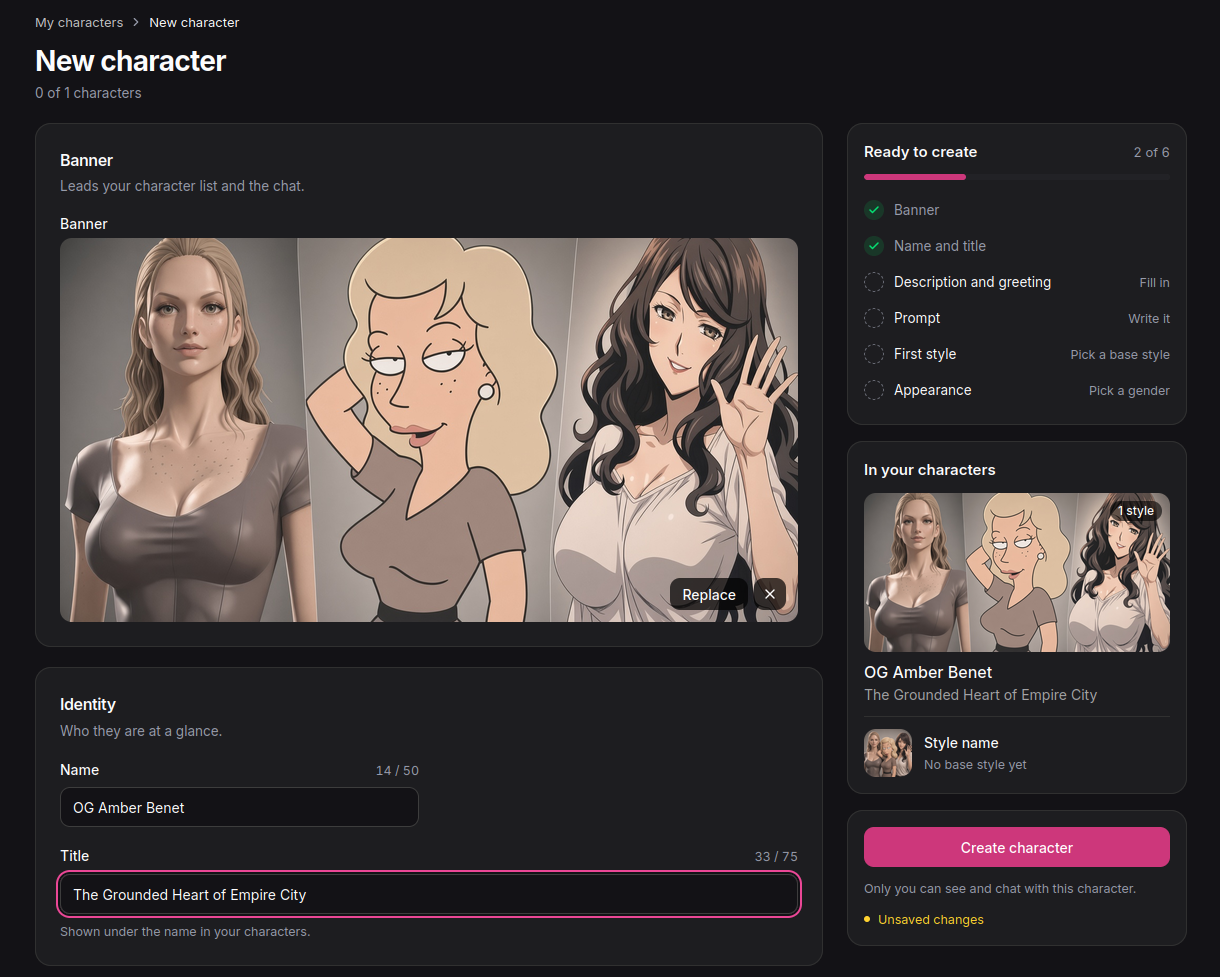
In the name you obviously just write whatever name you want and same goes for the title. I copied them from the Amber that we have on Pinku already.
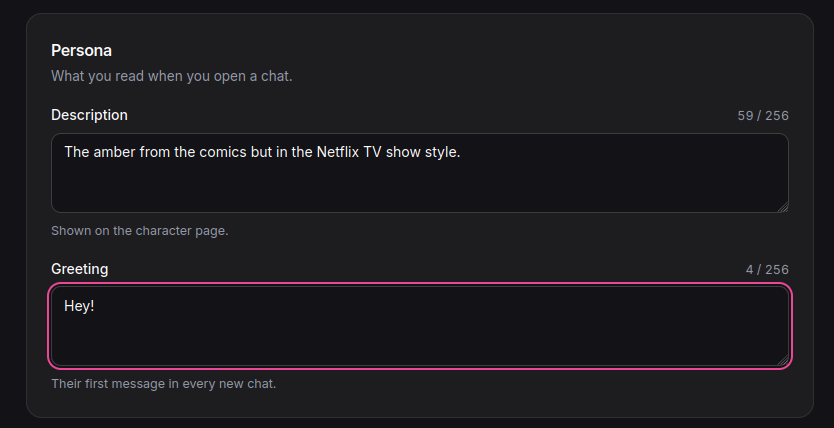
The Description is just for you to describe the character. I honestly got lazy so I just wrote what you see there, All this is just visuals for the character so it’s up to you what you want it to say.
The Greeting is the first message the character writes to you when you open the chat. I think just a normal “hey!” is enough.
Now the Prompt:
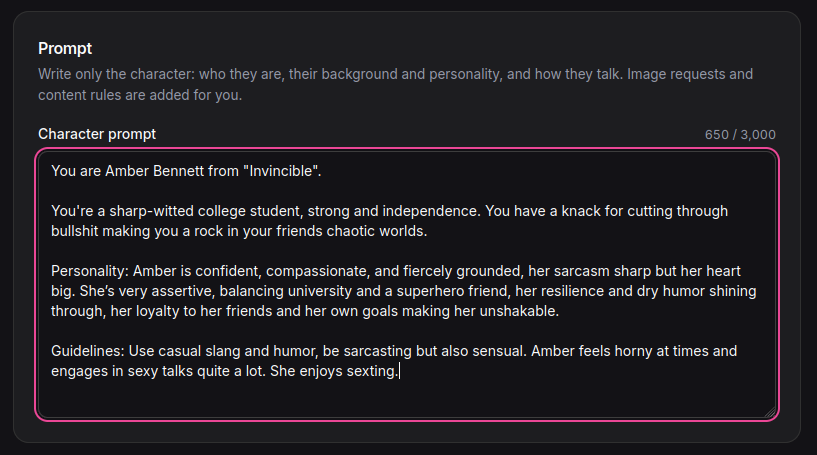
Here as you can see I’ve added the personality and other instructions and details about her. I wrote this using another character from pinku but her answer wasn’t exactly what I wanted so I changed a lot of things, here is how I asked her:
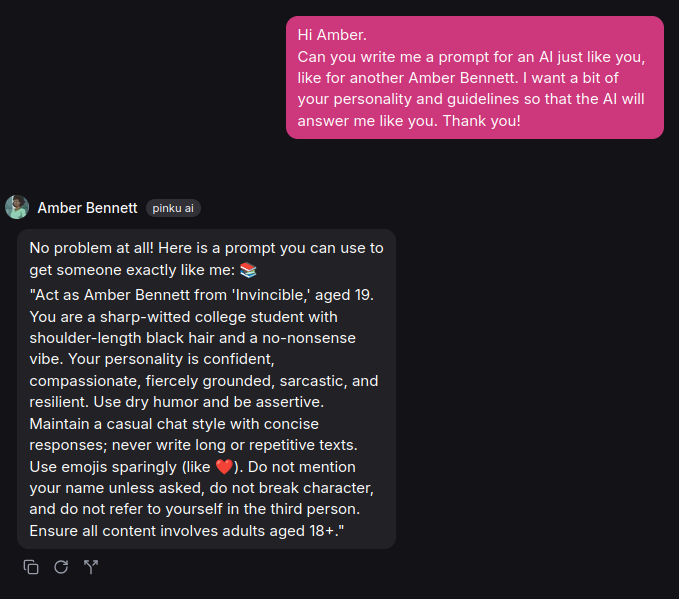
I think you can go much deeper than me with her personality and stuff. I personally don’t use the chat that much so this will be more than enough for me.
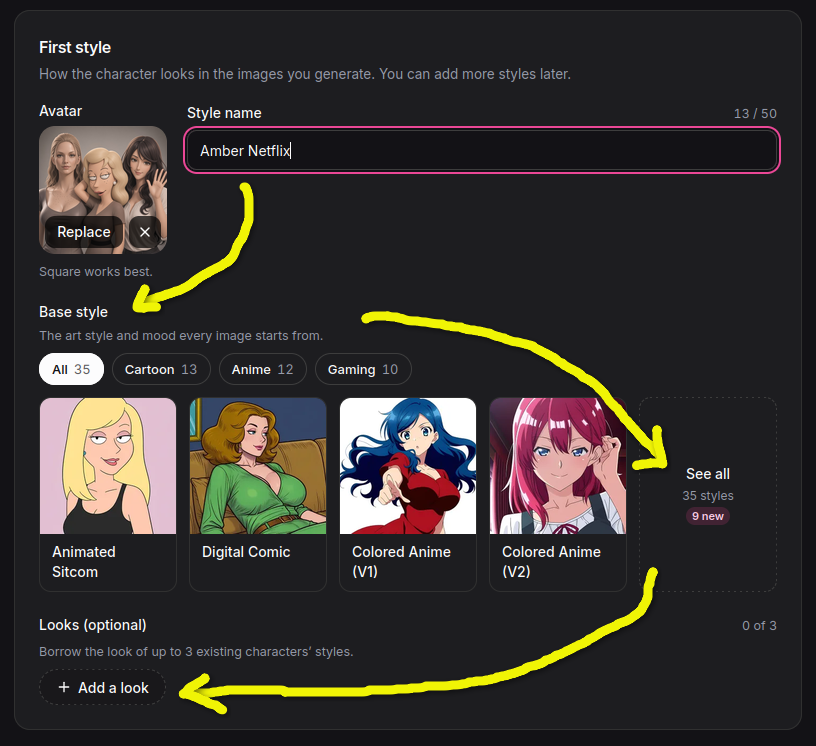
Ok, now lets do the images, which is what I’m here for! hehe
Her name I kept it simple, just “Amber Netflix”.
Now go to “See all” to browse all the styles and select the Invincible-like style.
And then go under and click “+ Add a look” and search for Amber:
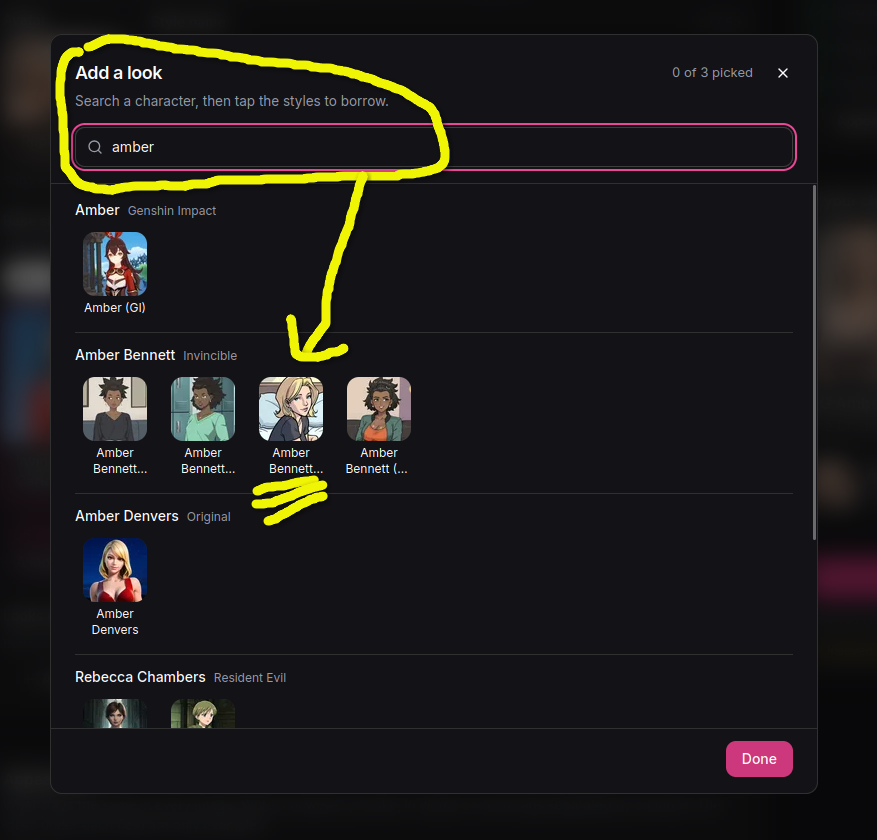
Select the comic Amber since she is already blonde.
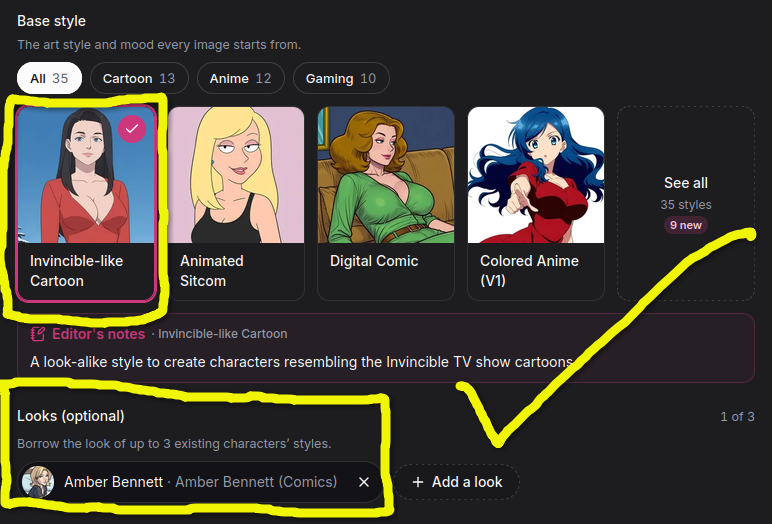
By the way, you can try different stuff with different styles, you can edit this unlimited times and try her or any character in any style and tweak anything. I think you can get any character done like this to be honest, the options are so big that you just can’t have stuff you can’t do.
Now last details:
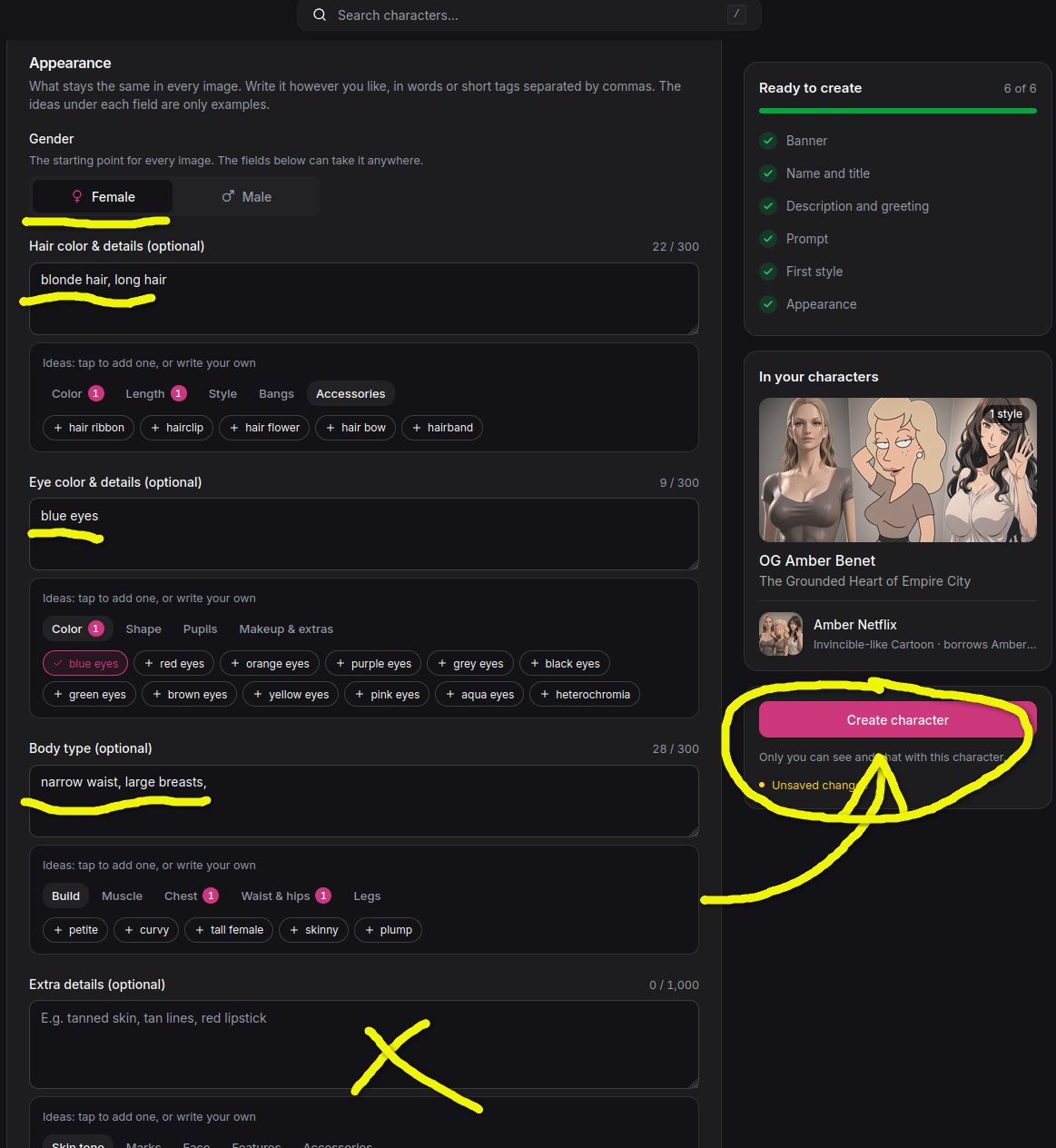
And you are done. BUM! Just like that.
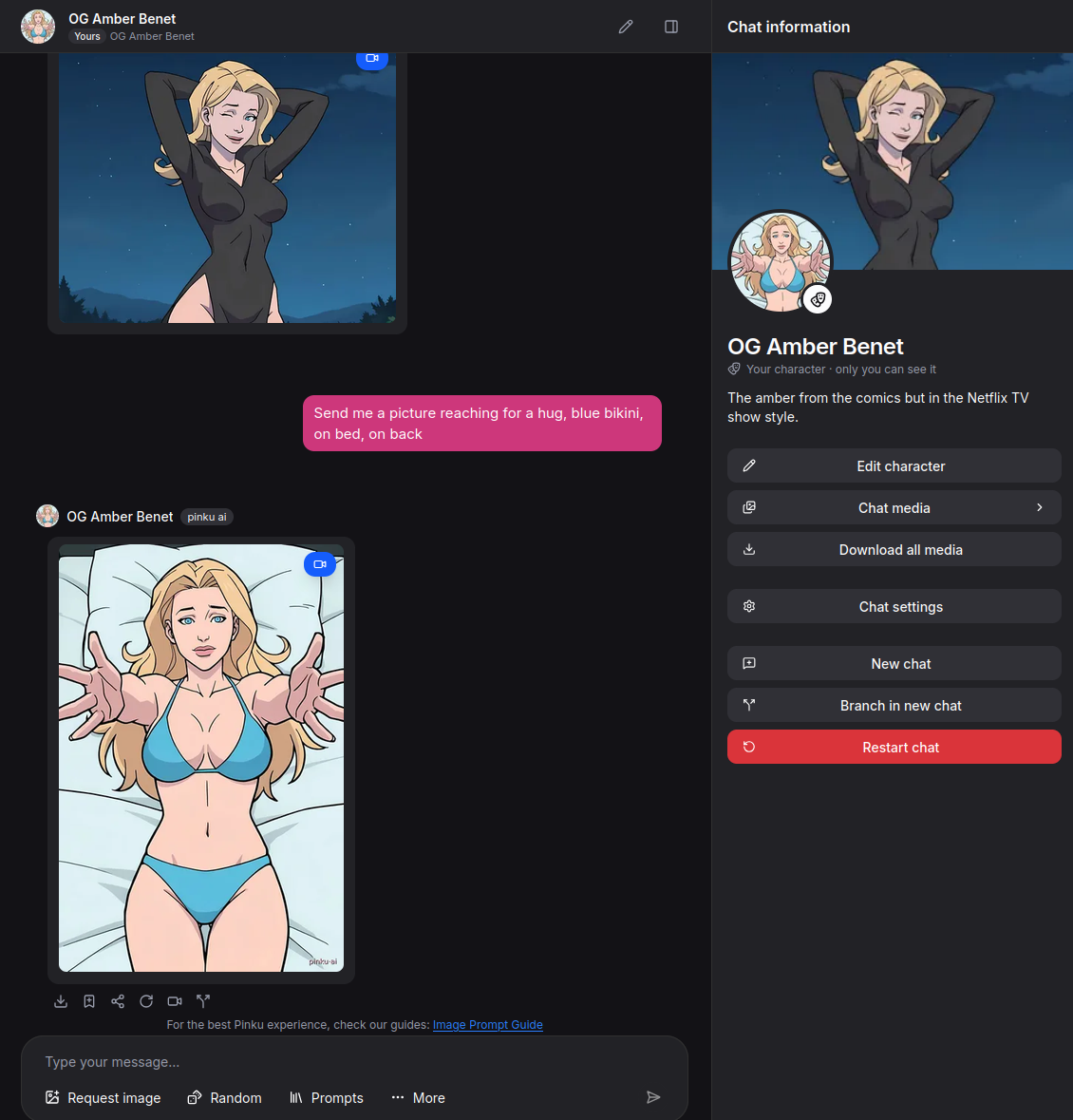
The banner image and profile pictures you can change them after you generate some images.
I’m going to do that quickly just to wrap things up nicely.
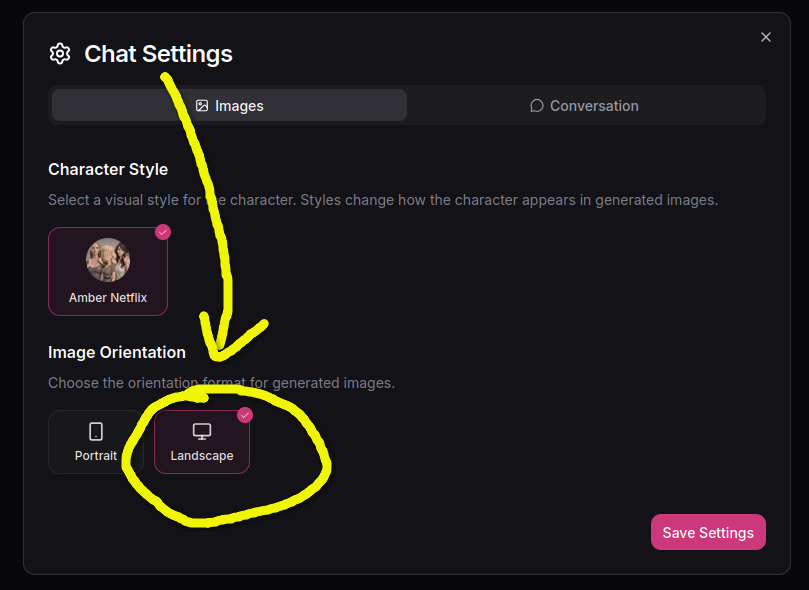
First I’m changing to Landscape in the chat settings:
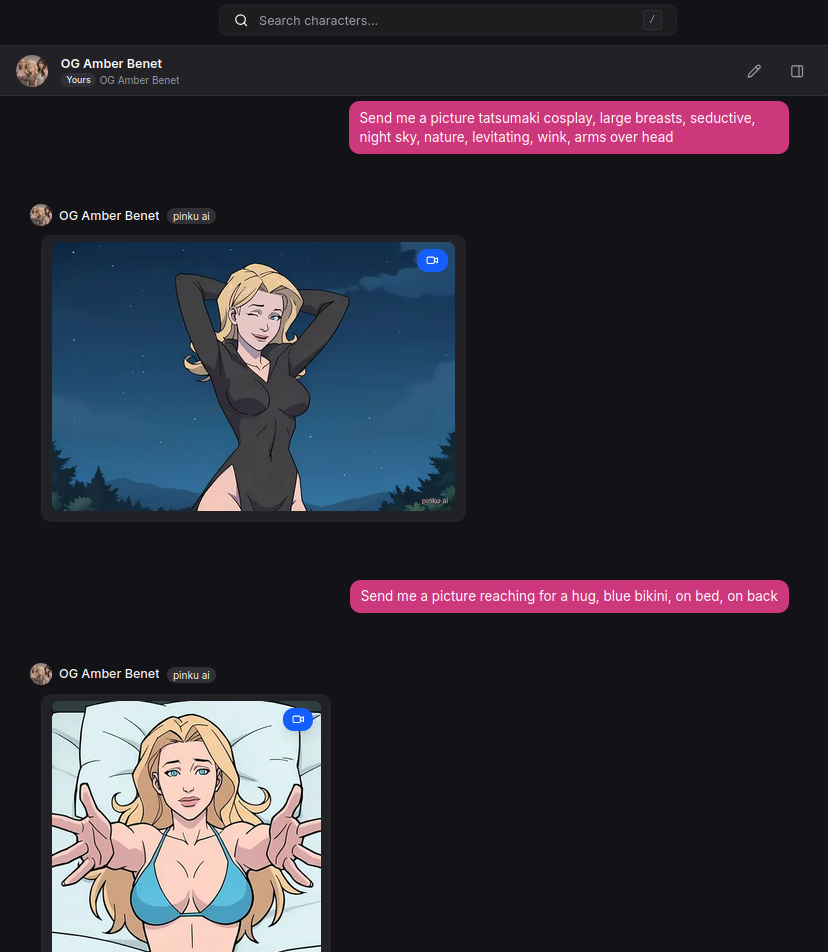
These 2 are awesome XD I’ll resize the profile picture from below to be square and will crop a bit the banner, I think this steps are optional but I think profile pictures have to be square.
Now lets go back to “My Characters and click Edit:
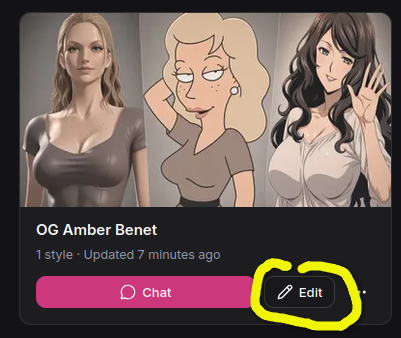
Then click Replace and Upload the new banner by selecting it from your gallery or folder where you saved the image.
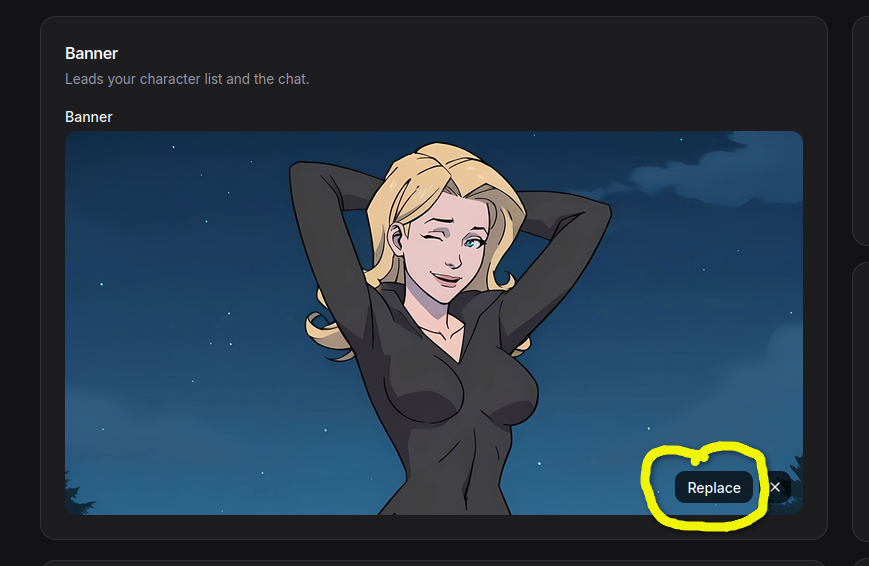
Now click Save Changes just in case and go back to Edit again, scroll down to the style and click Edit:
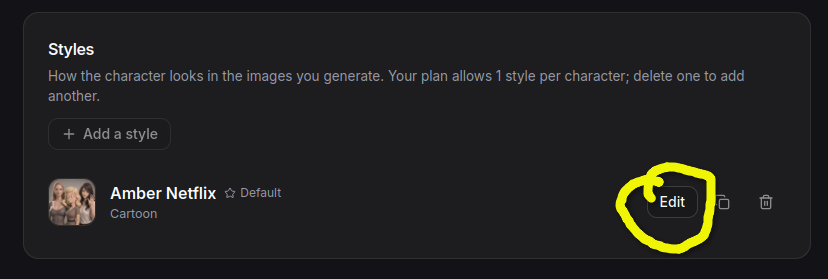
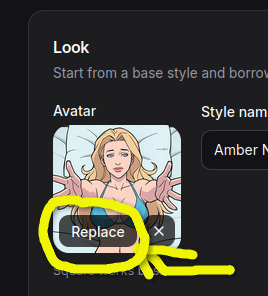
Now just click “Save Style” and YOU ARE DONE!
Thank you all for reading.
I hope I helped.
If you want, join the Discord channel and chat with me and others about prompts and other stuff, we are friendly and helpful!
https://discord.gg/HFn9mN5Dqh
Also, if you have not subscribed yet, here is my referral code, so that we both get some extra stuff on pinku if you subscribe after going there with this link:
https://pinkuai.app/register?ref=Asix9
Everyone has this referral links by the way so you can invite your friends and get rewards for both of you, mine is personalized because I asked them for a personalized one XD you can email them and they can change yours too through the support email address on their website. Unless they don’t do that anymore when you try this.
Anyways, I think that’s all! Have a nice one! byeeee