
Stable Diffusion is an AI model that turns text prompts (descriptions) into images. It doesn’t just “draw” based on rules—instead, it uses a smart process involving noise and learning from millions of images. Think of it like starting with static on a TV screen and gradually tuning it into a clear picture, guided by your words.
This guide explains the concept step by step in simple terms.
1. The Big Picture: Diffusion Models
Stable Diffusion is a type of diffusion model. Here’s the core idea:
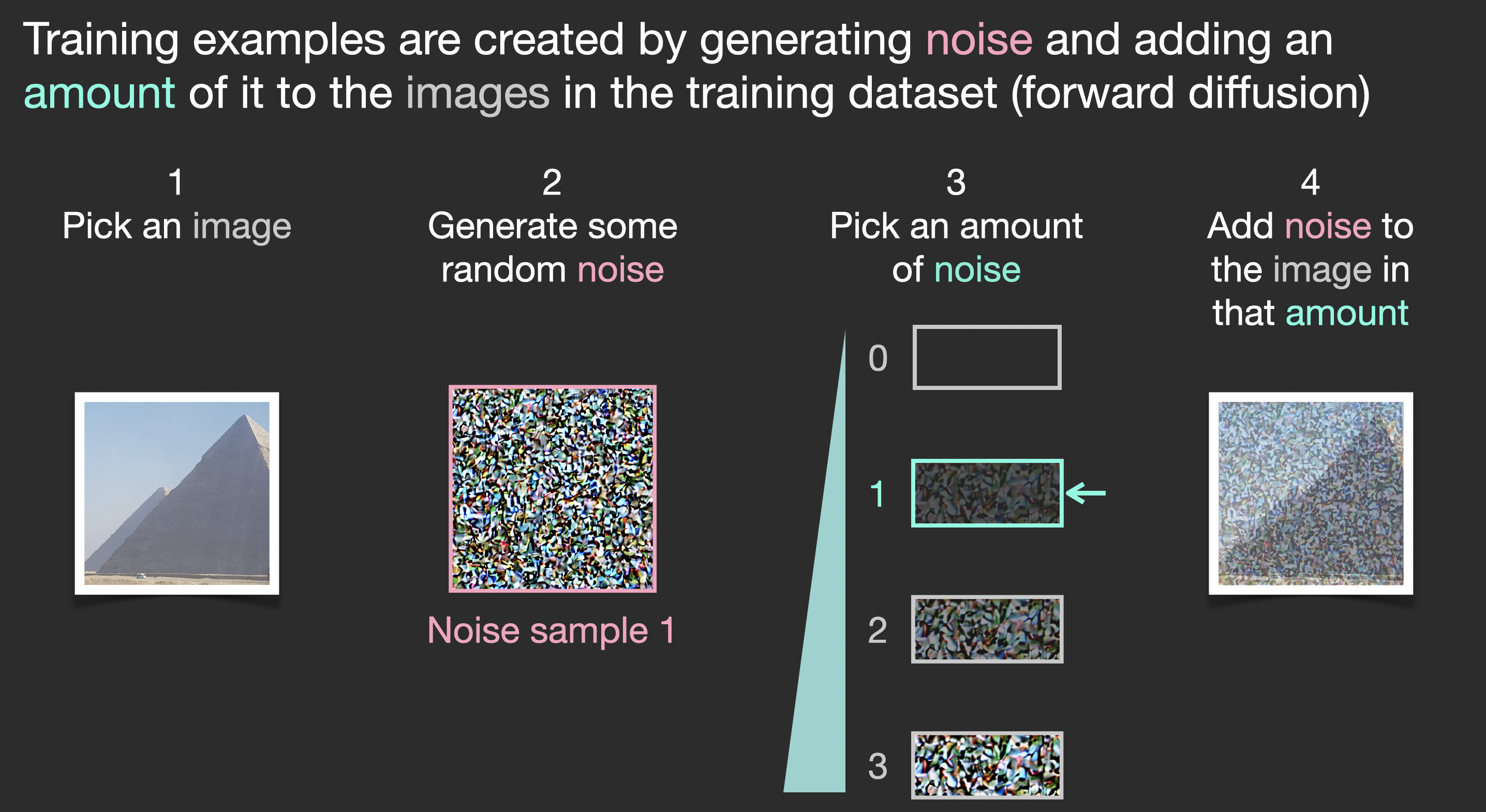
- Training phase (how it learns): The AI is shown real images and learns to add noise (random fuzz) step by step until the image becomes pure noise. Then, it practices reversing this—removing noise to recover the image.
- Generation phase (creating new images): It starts with pure random noise and gradually removes it (denoising) over many steps. The result? A brand-new image!
Without a prompt, it would make random images. The prompt guides the denoising so the final image matches your description.
2. Why “Latent” Diffusion? (Making It Efficient)
Regular diffusion works on full-size images, which is slow and memory-heavy. Stable Diffusion uses latent diffusion:
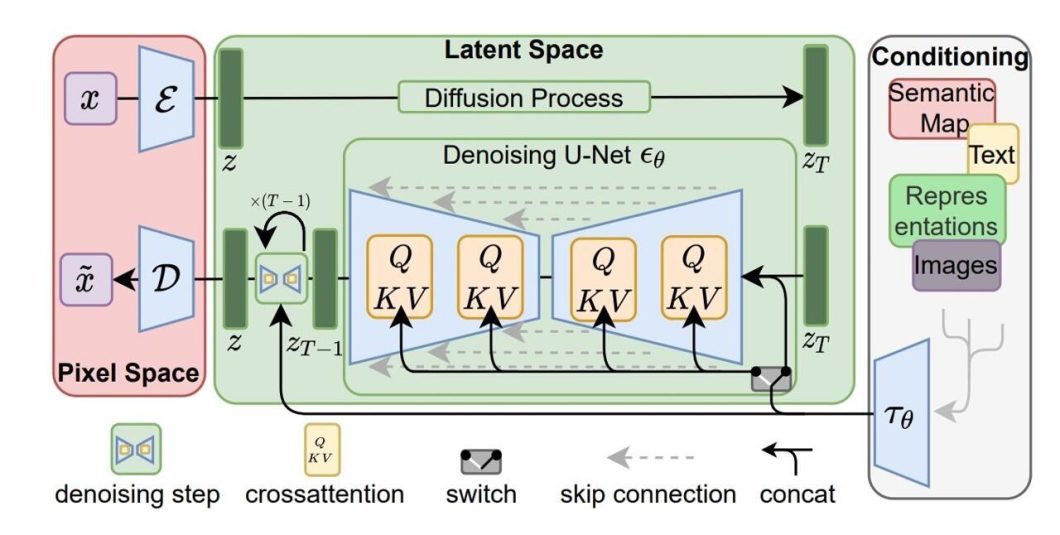
- An autoencoder compresses the image into a smaller “latent” representation (like a zipped file capturing the essence).
- Diffusion (adding/removing noise) happens in this compressed space—much faster!
- At the end, it decompresses the latent back to a full image.
This is why it can run on normal computers.
3. How the Prompt Comes In: Guidance with CLIP
Your text prompt is the “director” of the process.
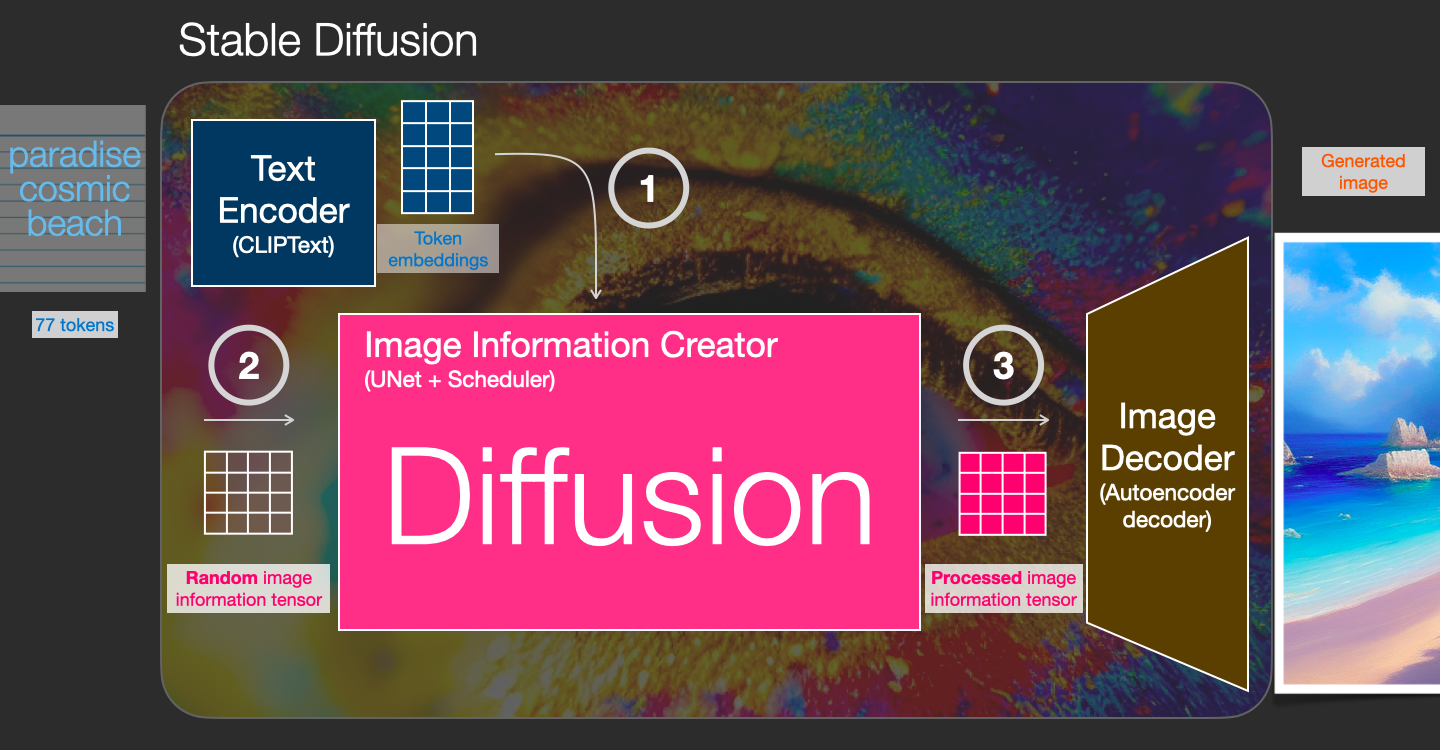
- A model called CLIP (pre-trained on images and captions) converts your prompt into a numerical “embedding”—a code that represents the meaning of your words.
- During denoising, a U-Net (the main brain) predicts and removes noise. The prompt embedding is fed in via “cross-attention”: The U-Net constantly checks “Does this look like the prompt?” and steers the image accordingly.
Better prompt = better guidance = image closer to what you want!

maucher.pages.mi.hdm-stuttgart.de
4. Step-by-Step: From Prompt to Image
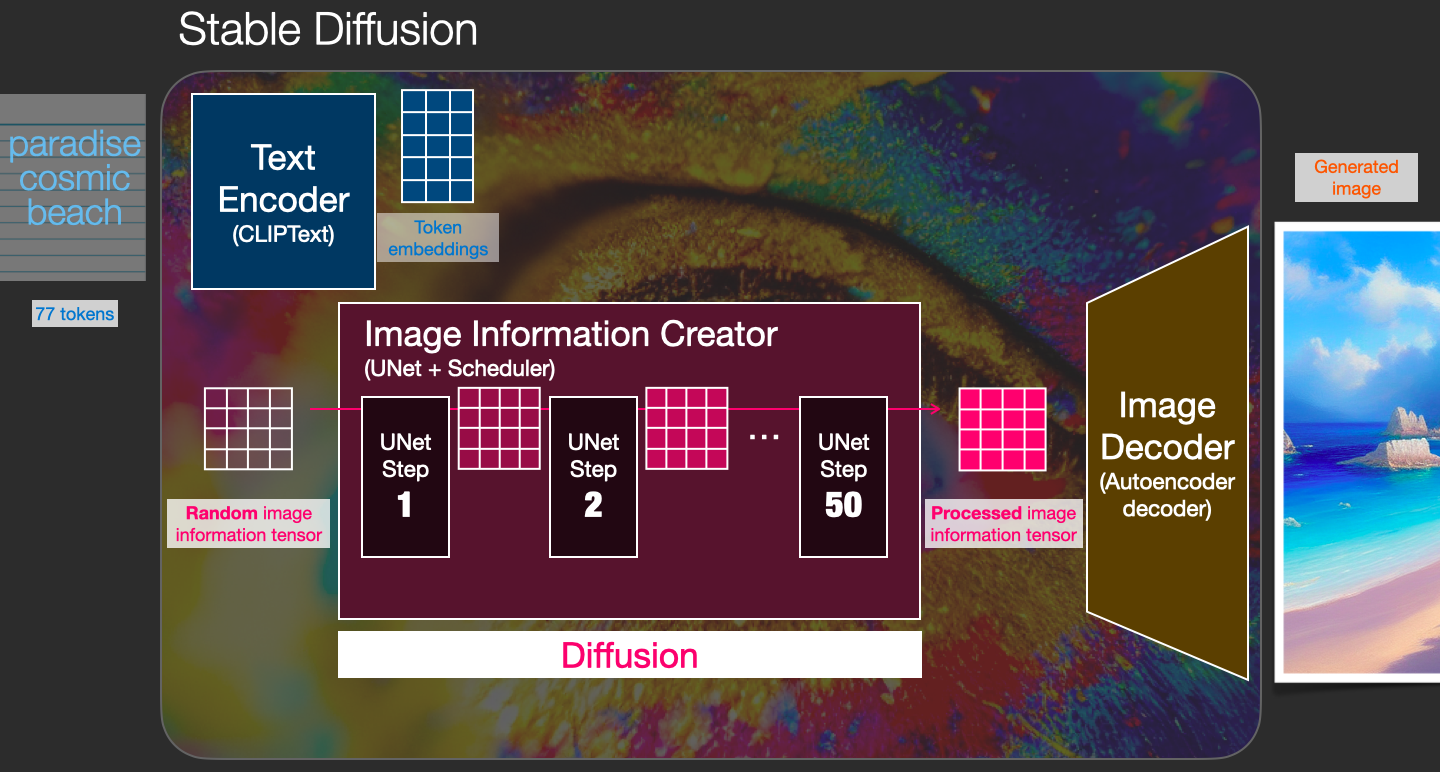
- Enter your prompt: e.g., “A cute cat in a spaceship, digital art”.
- CLIP encodes it: Turns text into embeddings.
- Start with noise: Random latent noise.
- Denoise loop (20–100 steps):
- U-Net looks at current noisy latent.
- Uses prompt embeddings to predict the noise.
- Subtracts the predicted noise → clearer latent.
- Decode: Turn final latent into pixels → your image!
The more steps, the better the quality (but slower).
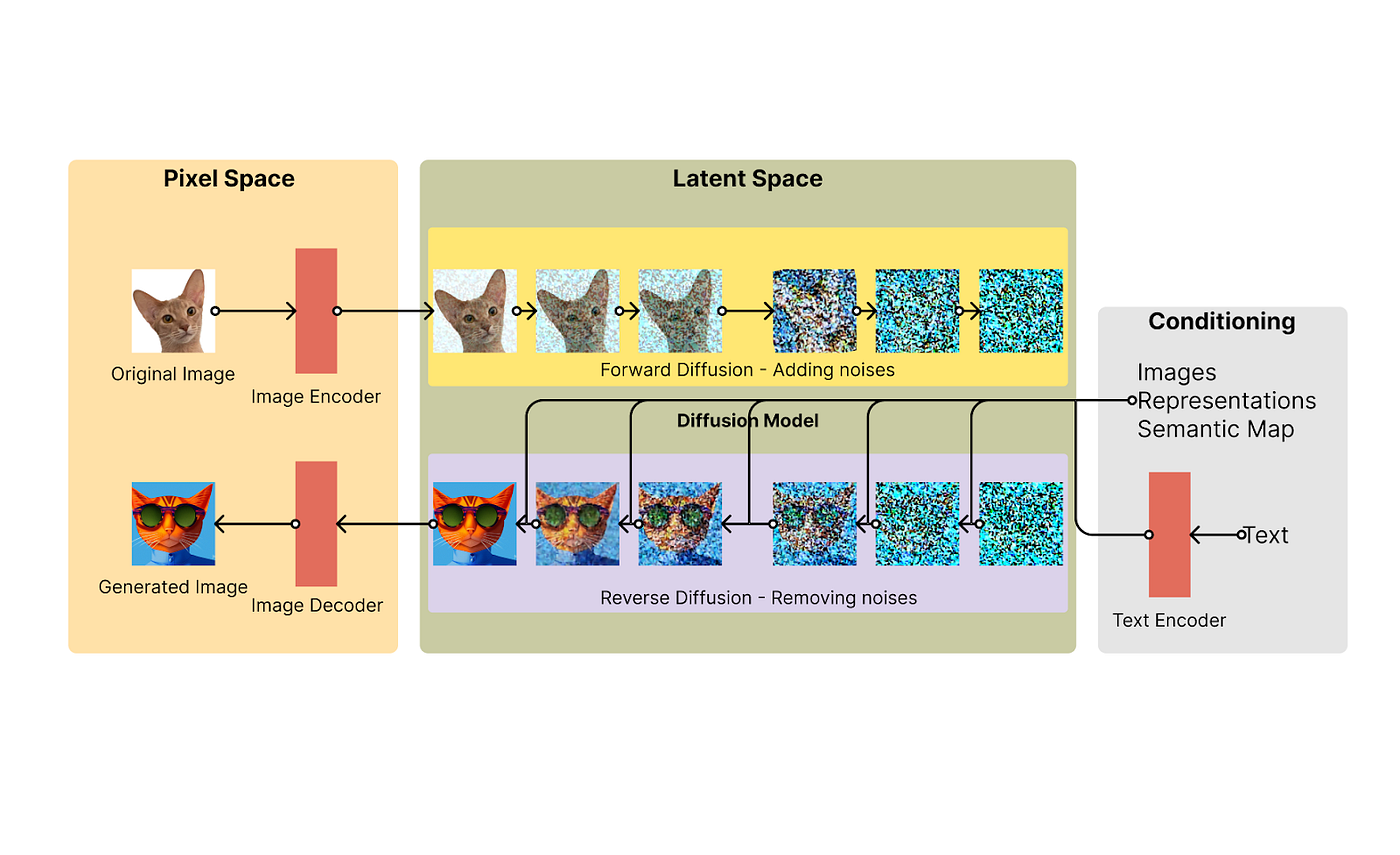
Understanding the basics of Stable Diffusion: Generative AI | by …
5. Why Prompts Matter So Much
- Vague prompt (“cat”) → generic image.
- Detailed prompt (“fluffy Persian cat with blue eyes, sitting on a moon, realistic, highly detailed”) → guides the U-Net strongly toward those features.
- The AI learned associations from training data, so words like “in the style of Van Gogh” pull in those patterns.
Negative prompts (what to avoid) help too, by steering away from unwanted things.
In short: Stable Diffusion “dreams” images from noise, and your prompt is the dream’s blueprint!
Have fun experimenting—prompts are the key to unlocking amazing results. 🚀
Leave a Reply